
Many Jamaicans earn money online through freelancing, remote work, YouTube, and e-commerce, but receiving PayPal payments can be confusing. This guide explains how Payoneer works, how to set it up, and how to link the two payment platforms.
● What is Payoneer?
Payoneer is an international financial services platform that helps businesses and individuals receive, send, and withdraw money from companies and clients around the world.
Think of Payoneer as a bridge between international companies and your local bank account. If you’re an online seller, freelancer, or digital entrepreneur getting paid from international clients, then Payoneer might be right for you.
● Can Jamaicans use Payoneer?
Short answer: Yes. Jamaicans can definitely sign up for Payoneer. Like every other financial service, you will be prompted to fill out a sign-up form, entering your full name and other necessary information.
Once the sign-up process is completed and you have downloaded the Payoneer app, the account will need to be verified.
Payoneer will ask you to verify your account using a Driver’s License, National ID, or Passport, and when linking your local bank account, a bank statement from your bank will need to be uploaded to verify that you are the owner.
Check your online banking if you can request an online bank statement. When the PDF file is downloaded, make sure that your bank’s logo and name, including your full name and address, are visible.
Congratulations, now wait for Payoneer to approve your documents, and you should be set.
● Can PayPal be linked to Payoneer?
Yes, but there are some tweaks you might have to make. PayPal and Payoneer are two major competitors, and getting both to work seamlessly can be tricky, but it’s doable.
The difference between the two financial service platforms is that PayPal is primarily used to send, receive money for purchases, services and personal transactions. Payoneer is designed for freelancers, businesses and online sellers to receive international transactions and withdraw to your local bank account.
If you’re living in Jamaica and have received money from a client or family via PayPal, then there was no way to directly withdraw the funds to your local bank account.
Methods Jamaicans used to get money out of PayPal were to send it to a family or friend abroad, which would’ve incurred a fee on top of the fee you were already charged when you first received it, which can be frustrating and costly.
Some Jamaicans also pay a small business offering services to withdraw their PayPal funds for them, charging a fee of 8-10% and upwards. And if you’re withdrawing a lot of money, then the numbers could really add up.
Here’s a step-by-step guide on how you can get the best of both worlds, linking your Payoneer receiving account to your PayPal account to withdraw money to your local bank account.
● Step-by-step setup Instructions
Before you get started, you will need these:
• Verified PayPal account
• Verified Payoneer account
• Matching information (name, address, etc.)
• Valid ID if verification is required
• Access to email and phone number
• Step 1: Check Your USD Receiving Account
Log in to your verified Payoneer account. You will see your available balances in currencies such as USD, EUR, and GBP. Click on the USD balance to open it and check the bank name. If the receiving account is issued by Citibank, it cannot be linked to PayPal.
• Step 2: Log in to Payoneer on a Web Browser
Close the Payoneer app and open your preferred web browser. Visit the Payoneer website and sign in to your account.
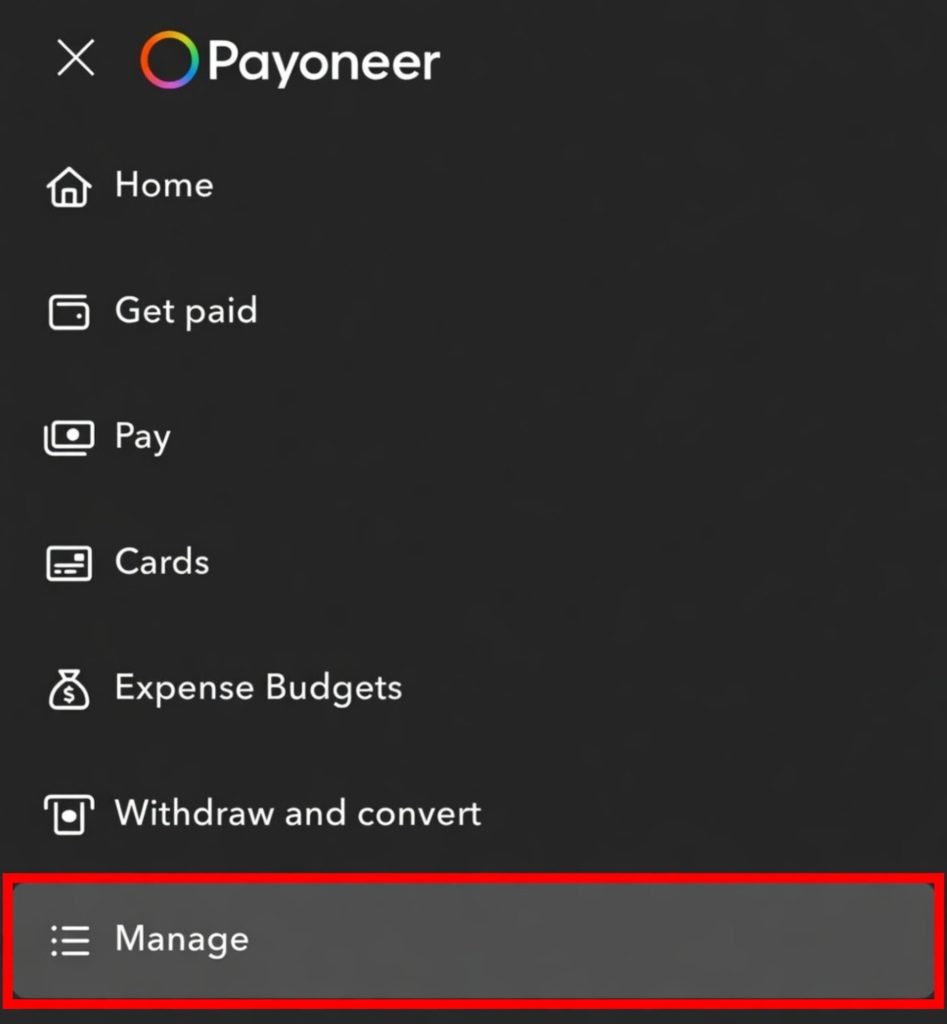
• Step 3: Open the Manage Menu
After signing in, click the menu icon in the top-left corner. From the drop-down menu, select Manage.
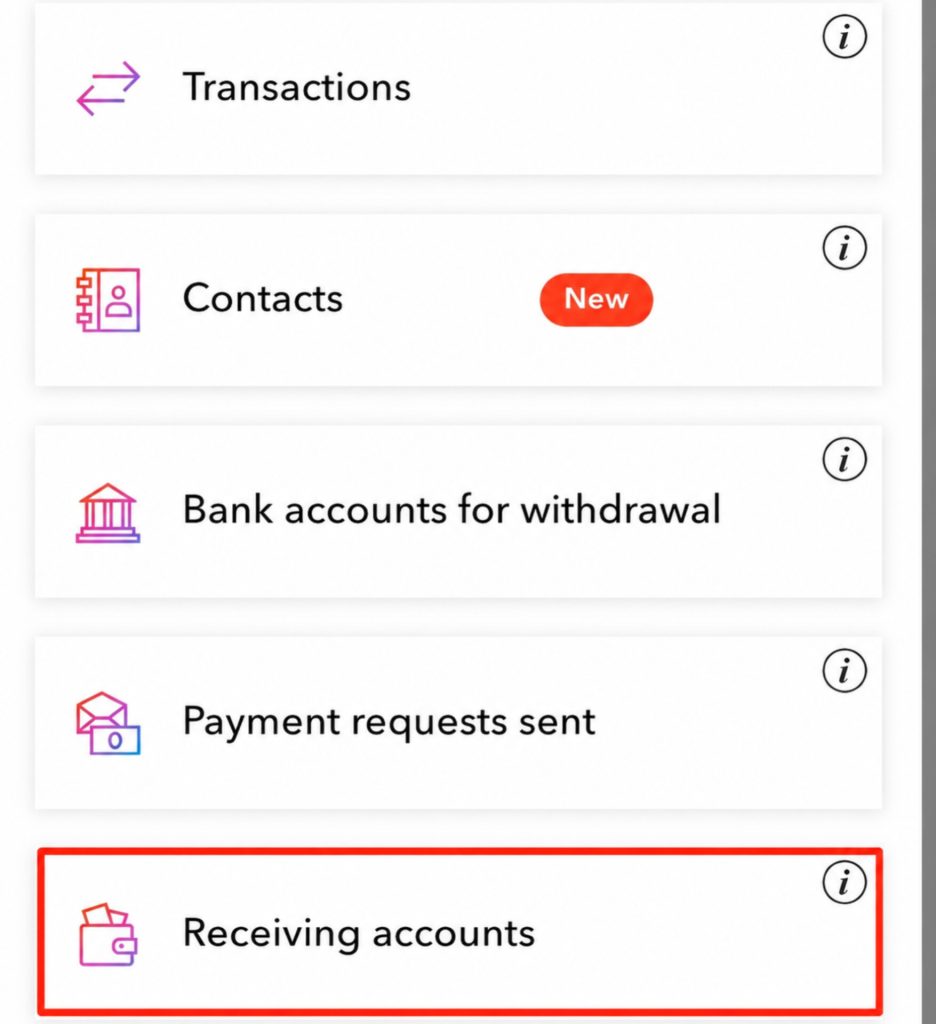
• Step 4: Open Receiving Accounts
After opening Manage, you will see the Receiving Accounts button at the bottom.
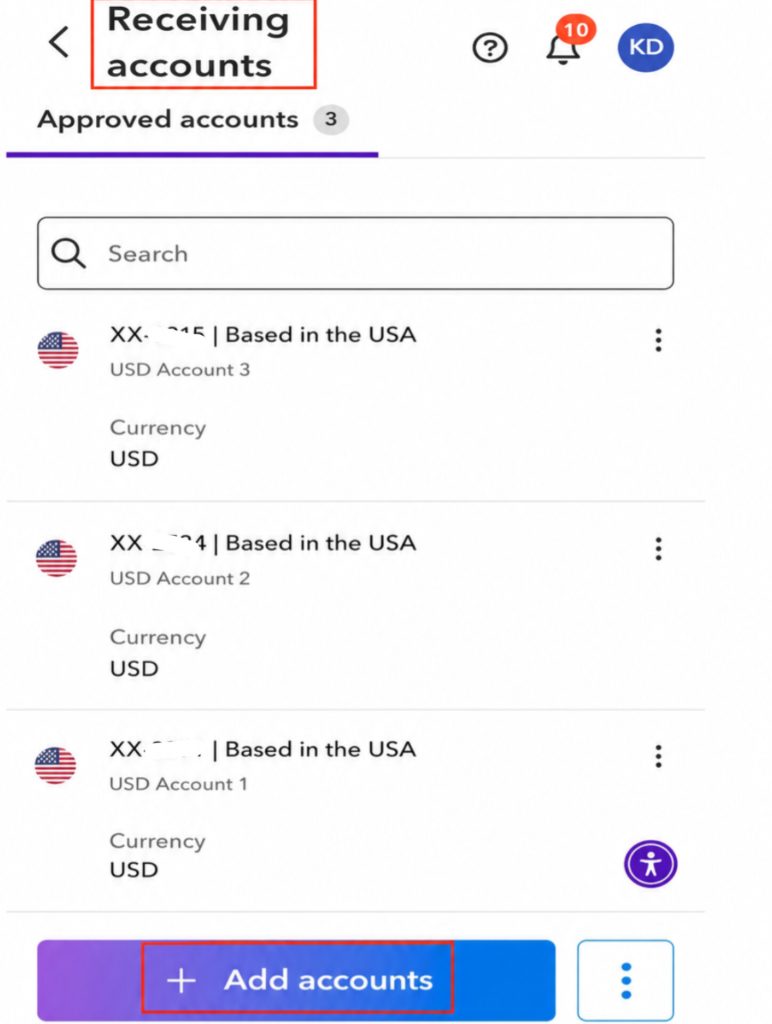
• Step 5: Click “Add Accounts”
On the Receiving Accounts page, click Add Accounts to request an additional receiving account that may be eligible for linking with PayPal.
• Step 6: Copy Your New Receiving Account Details
Open your new USD receiving account and copy the account details, including the bank name, routing number, account number, and any other information required. Make sure the account is not issued by Citibank before continuing.
• Step 7: Sign in to your PayPal Account
Open PayPal in your web browser or the PayPal app and sign in to your account.
• Step 8: Add Your U.S. Bank Account
Go to the Banks and Cards (or Wallet) section and choose the option to link a bank account. Enter the details from your new Payoneer receiving account exactly as they appear.
• Step 9: Confirm Bank Account
Follow PayPal’s instructions to verify the bank account. This may include confirming small deposits or completing another verification method, depending on your account and PayPal’s current process.
If you followed this step-by-step, it is likely to work; however, PayPal’s eligibility rules can vary by account, country, and policy changes.
Once your bank account is added to PayPal, you can now send funds directly to your Payoneer account and withdraw to your local bank.
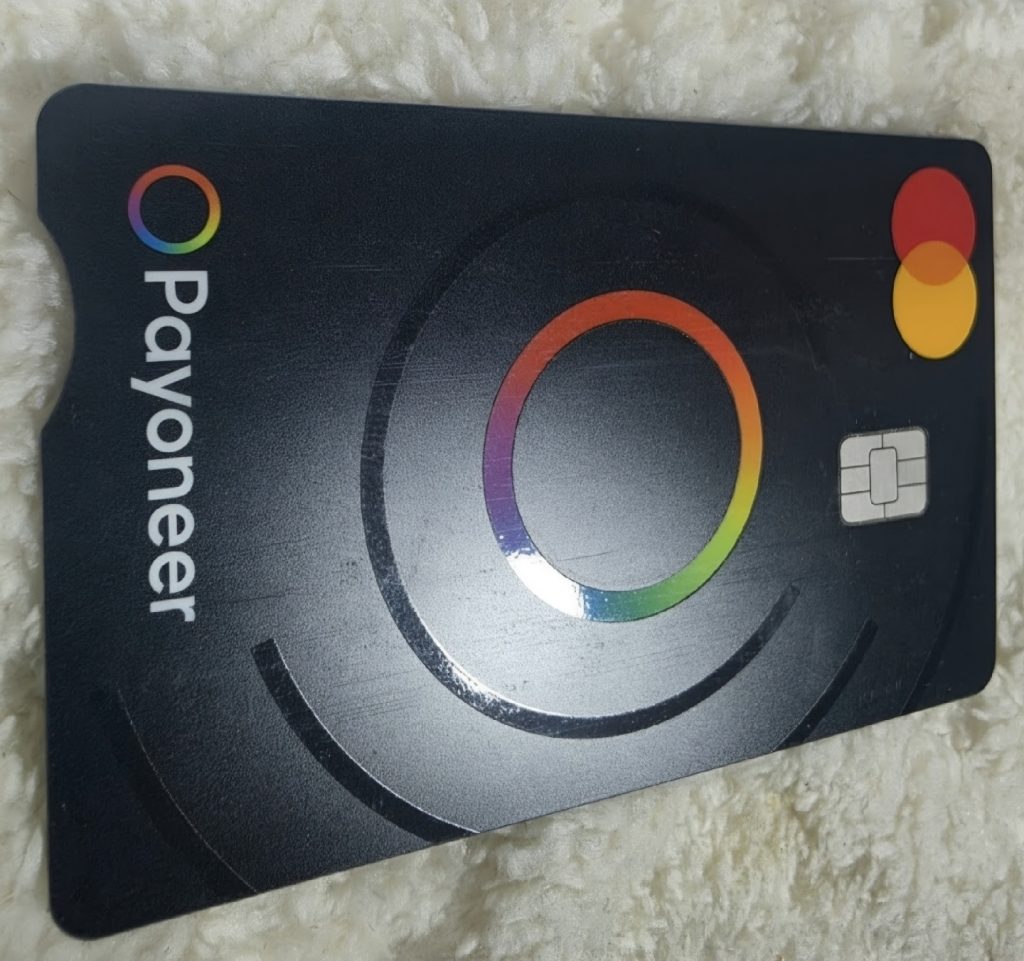
Payoneer also offers a debit card upon request that you can use at any ATM that accepts Mastercard and to spend online. Check Payoneer’s website for fees.
• Tip: Only use this method to receive payments that you’ve legitimately earned from clients, customers, or businesses. Don’t use it to transfer your own personal PayPal balance to your Payoneer account, as both PayPal and Payoneer monitor transactions for compliance with their terms of service.
• FINAL THOUGHTS
Linking PayPal with Payoneer in Jamaica can be a useful option for receiving and managing online payments, especially for freelancers, creators, and businesses that work with international platforms.
The process may not work the same way for everyone, as PayPal and Payoneer regularly update their requirements and available features. Make sure your accounts are fully verified, your personal information matches across both platforms, and always follow the terms and policies of both services.
Remember that Payoneer receiving accounts are designed primarily for receiving eligible business payments from supported companies and marketplaces. Avoid using these services for transactions that may violate their policies, such as sending money to yourself or attempting to bypass payment restrictions.
If you follow the correct steps and use both platforms as intended, PayPal and Payoneer can work together as valuable tools for Jamaicans earning money online.
If this guide helped you successfully connect PayPal and Payoneer in Jamaica, consider sharing it with other Jamaicans who earn online.